Create your first world
Time to make something real. This is the fastest path from "I have nothing" to "I'm standing inside a world I made." It takes about a minute, and (say it with us) you can change everything later, so don't overthink any of it.
Before you start
You make worlds from inside Hideout itself, so first you need to be in Hideout. It's free, and there's nothing to download. You get in one of two ways:
- From Discord: launch Hideout as an activity in a server or voice channel.
- From a link: open a Hideout world in any web browser.
Either way, once you're in and walking around as your little pixel character, you're ready.
You can only build in worlds where you have permission: your own worlds, and any you've been given editing rights to. When you create a new world (below), you're the owner, so you can build freely. If you ever tap Edit and see "You can't build here," that means it's someone else's space.
Make the world
Open the World Browser and go to Create
The World Browser is where all worlds live. Open it, then find the Create tab. (It sits alongside Home, Discover, and People.) This opens the Create a World box.
Pick a starting point under “Start from”
A template is a pre-built world you start from, so you're never staring at an empty grid. Pick whichever vibe matches your idea:
Template Good for Island A sunny getaway to explore Cozy Home A warm spot to hang out Playground Games and chaos Party Room Lights, music, dancing Stage Show Quizzes and shows The template furnishes your world for you. You can redecorate, add, or remove anything afterwards. It's a starting point, not a cage.
Just want a quick hangout? Cozy Home is the friendliest first pick.Name your world
Type a name in the World name box. Keep it short and fun: "Niall's Treehouse," "Quiz Night," "The Lava Floor." A name is required (the Create button stays greyed out until you type something), and it can be up to 30 characters long.
Pick a category (optional)
A category is a one-word "vibe" tag that helps people find your world in the Explore feed, like a genre shelf in a shop. The box asks you to pick one. Picking a template usually selects a sensible category for you, and you can change it or add more later. Tap the selected one again to clear it, so zero categories is fine too.
Hit Create, and you're in
Press Create. Hideout builds your world from the template and drops you straight inside it. That's it. You now own a world.
Wait, what just happened?
You now own a brand-new world that:
- Is public by default, so anyone can wander in. (You can lock it down later in World settings.)
- Is listed in Explore so people can discover it.
- Belongs to you, so you can build in it freely.
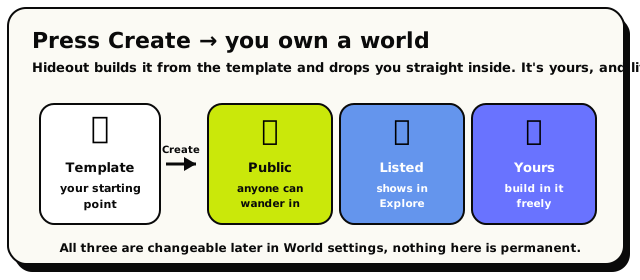 One tap on Create and your template becomes a live world that's public, listed, and yours.
A regular account can own up to 3 created worlds at once. If you hit the cap, you'll see "You can create up to 3 worlds." Delete one you're not using to free up a slot. (Your personal apartment doesn't count toward this, so don't worry about it.)
Everything is changeable
This is worth repeating because it's the thing that makes creating stress-free:
| Thing | Where you change it later |
|---|---|
| The name & description | World settings → General |
| Who can enter | World settings → Access |
| The furniture & layout | Build Mode (build mode) |
| The lighting / time of day | World settings → Appearance |
| The whole template | World settings → Advanced → Reset world |
So if your first pick isn't perfect, no stress. Get in, look around, and start playing with it.