Block Reference
This is the complete catalogue of every block in Hideout scripting. Each one has a picture, what it does, the slots it accepts, how it behaves, and the gotchas to watch for. Use the sidebar to jump to a category, or search at the top of the page.
Blocks are grouped into colour-coded categories in the editor's toolbox. Here is what each category is for:
How to read a block entry
Every block has a card. Each card shows you:
- A picture of the block, so you can spot it in the editor.
- A one-line summary of what it does.
- The slots it has (the gaps you drop other blocks into) and what kind of value fits each one.
- How it behaves when your world is running, plus any gotchas to watch for.
Here is the picture you'll see for one of the most common blocks, the hat that starts a script when someone walks in:
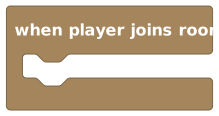 A block card always leads with a picture, so you can match it to the one in your editor.
Two kinds of badge appear on cards to tell you things at a glance:
- Shape: the block's shape decides what it does and how it connects. Event Action Value Yes/No.
- Scope: where you're allowed to use it. Room Object NPC. A behavior is a script that lives on the whole room, a single object, or an NPC, and some blocks only make sense in certain places.
The four shapes are the whole grammar of the language. Once you can spot them, you can tell at a glance what any block does and where it fits:
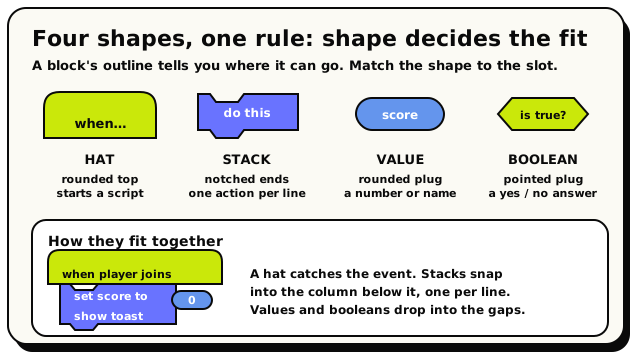 A hat starts a script, stacks are the actions in its column, and value and boolean blocks drop into the gaps.
New to these ideas? Read How blocks fit together first.