Value Types
Think of types like shapes of LEGO connector. A number plug fits a number socket; a text plug fits a text socket. The editor physically refuses the wrong fit, which is how it catches mistakes before anything breaks.
Blocks are colour-coded by type to help you spot them fast, but the socket shape is what actually decides whether two blocks click together. Two same-coloured blocks still won't connect if their types disagree.
The simple values
These are the everyday building blocks: numbers, words, yes/no, time.
| Type | What it is | Example blocks that produce it |
|---|---|---|
| Number | Any number, decimals allowed (3, 3.5, -2). |  Number · Number ·  Math (+ − × ÷) · Math (+ − × ÷) ·  Random whole number Random whole number |
| Whole number | A whole number, no decimals. Fits anywhere a number is wanted. |  Whole Number · the "round" block Whole Number · the "round" block |
| Text | Text: a string of characters. |  Text · Text ·  To Text · To Text ·  Join Text · Join Text ·  Display Name Of Player Display Name Of Player |
| Yes/No | A yes/no answer (true/false). Drawn as a hexagon. |  True or False · True or False ·  Compare · Compare ·  Is Player In Area Is Player In Area |
| Duration | A length of time, in seconds. |  Seconds Seconds |
The Number block: type any number into it
The world values
These point at real things in your room: people, props, characters, places.
| Type | What it is | Example blocks that produce it |
|---|---|---|
| Player | A handle to one player. |  Triggering Player · Triggering Player ·  Closest Player · Closest Player ·  Random Player From Group Random Player From Group |
| player group | A handle to several players at once. |  All Players · All Players ·  Players In Area · Players In Area ·  Players Sitting At Object Players Sitting At Object |
| Object | A handle to one placed object. |  Object · Object · 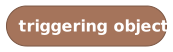 Triggering Object · Triggering Object · 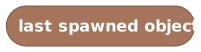 Last Spawned Object Last Spawned Object |
| NPC | A handle to one NPC. |  NPC · NPC · 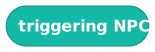 Triggering NPC Triggering NPC |
| Area | A rectangular patch of floor. |  Area Area |
| sound | A sound to play. |  Sound Sound |
'All Players' produces a player group: a snapshot of everyone in the room
A handle (player, object, NPC) points at a real thing right now. If that player leaves or that object is deleted, the handle resolves to nobody/nothing and the action quietly does nothing. It won't crash your script. A player group is a snapshot taken the moment you ask, so people who join later aren't in an old group.
The position values
These describe where and which way: the numbers behind the grid.
| Type | What it is | Example blocks that produce it |
|---|---|---|
| Position (X, Y) | A flat point (x, y): across and down, no height. Mostly used to build areas. | 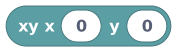 Coordinate (X, Y) Coordinate (X, Y) |
| Position (X, Y, Z) | A full point (x, y, z): across, down, and height. The everyday "position." Shown as Coordinate in menus. | 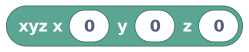 Coordinate (X, Y, Z) · Coordinate (X, Y, Z) ·  Position Of Player · Position Of Player ·  Position Of Object · Position Of Object ·  Position Of NPC Position Of NPC |
| Direction | Which way something faces: north, east, south, or west. |  Rotation (Direction) · Rotation (Direction) ·  Rotation Of Player · Rotation Of Player ·  Rotation Of Object Rotation Of Object |
A Coordinate (X, Y, Z) block: the everyday 'position' value
On the grid, down is positive Y. So "north" subtracts from y, and "south" adds to it. Beginners get this backwards constantly. (And a freshly placed character faces south by default, even though a new rotation block defaults to north.)
There are exactly four rotations: no diagonals, no angles.
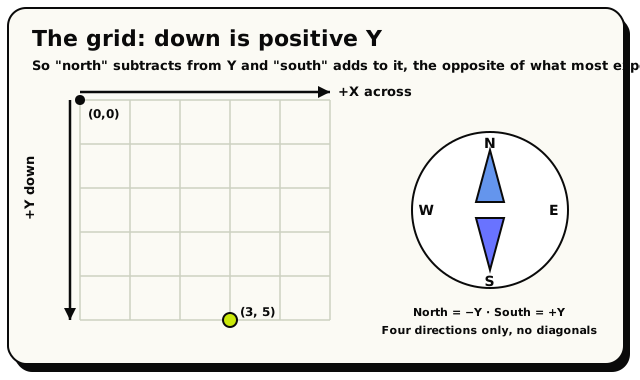 Down is positive Y, so north subtracts from Y and south adds to it. This is the part beginners get backwards.
The object-state values
When an object can be in different states (a door open/closed, a candle lit/unlit), these blocks describe those states.
| Type | What it is | Example blocks that produce it |
|---|---|---|
| object state | The name of one of an object's states. |  Current State Of Object · Current State Of Object ·  State State |
| Transition | The move from one state to the next (used to advance a state). |  Transition Transition |
Reads an object's current state, like 'open' or 'lit'
The list value
A list is an ordered collection of values of one type: a list of players, a list of numbers, a list of coordinates. You can add to it, remove from it, loop over it, and ask whether it contains something.
| Type | What it is | Example blocks that produce it |
|---|---|---|
| list | An ordered collection of one type of item. |  Empty List · Empty List ·  List With Item Added · List With Item Added ·  Item At Index · Item At Index ·  Random Item From List Random Item From List |
boolean · number · text · duration · vector2 · vector3 · player · object · area. A player group even counts as a list of players, so anywhere that wants a list of players will also take a group, and the other way around. Learn more about lists.
 'Length Of List' counts the items and returns a number
Turning anything into text
Often you want to show a value to players inside a message: a score, a name, a position. The To Text block takes almost any value and turns it into readable words.
'To Text' converts any value into text you can show in a message
Here's exactly how each value reads when you cast it:
| Value | Becomes the text |
|---|---|
| true/false | true or false |
| number | the number written out (42, 3.5) |
| rotation | the direction word (north, east, south, west) |
| vector2 | (x, y), e.g. (3, 5) |
| vector3 | (x, y, z), e.g. (3, 5, 2) |
| player group | players: plus the count, e.g. players:4 |
| list | list: plus the count, e.g. list:7 |
| player / object / NPC | the internal id, e.g. player:abc123 |
Casting a player to text gives you their internal id, which players won't recognise. To show a human-readable name, use the dedicated Display Name Of Player block instead.
All cast and joined text is trimmed to 512 characters, so don't rely on enormous strings.
"Optional" values that might be empty
Some values aren't guaranteed to exist. The "closest player" might find nobody. The "triggering player" might have already left. The editor calls these values optional and gives them a slightly different plug shape, so a "might be missing" value can't accidentally snap into a slot that needs a real one.
To use an optional value safely, check it's there first: wrap an "if it exists, then…" guard around the blocks that need it. That way your script never tries to act on a player or object that isn't actually around.
Why some mistakes only show up at publish
The puzzle-piece shapes catch the big, obvious mistakes instantly. You literally can't plug text into a number slot. But a few rules are too detailed for shapes to check on their own. Does this particular door actually have the state you typed? Does the player or object you pointed at still exist? Those checks happen when you Validate or Publish.
The rule of thumb:
If a block won't click, fix it now. If you see a warning triangle, read it. Always hit Validate before Publish: that's the final spell-check.